Novastart
About this collaboration software software
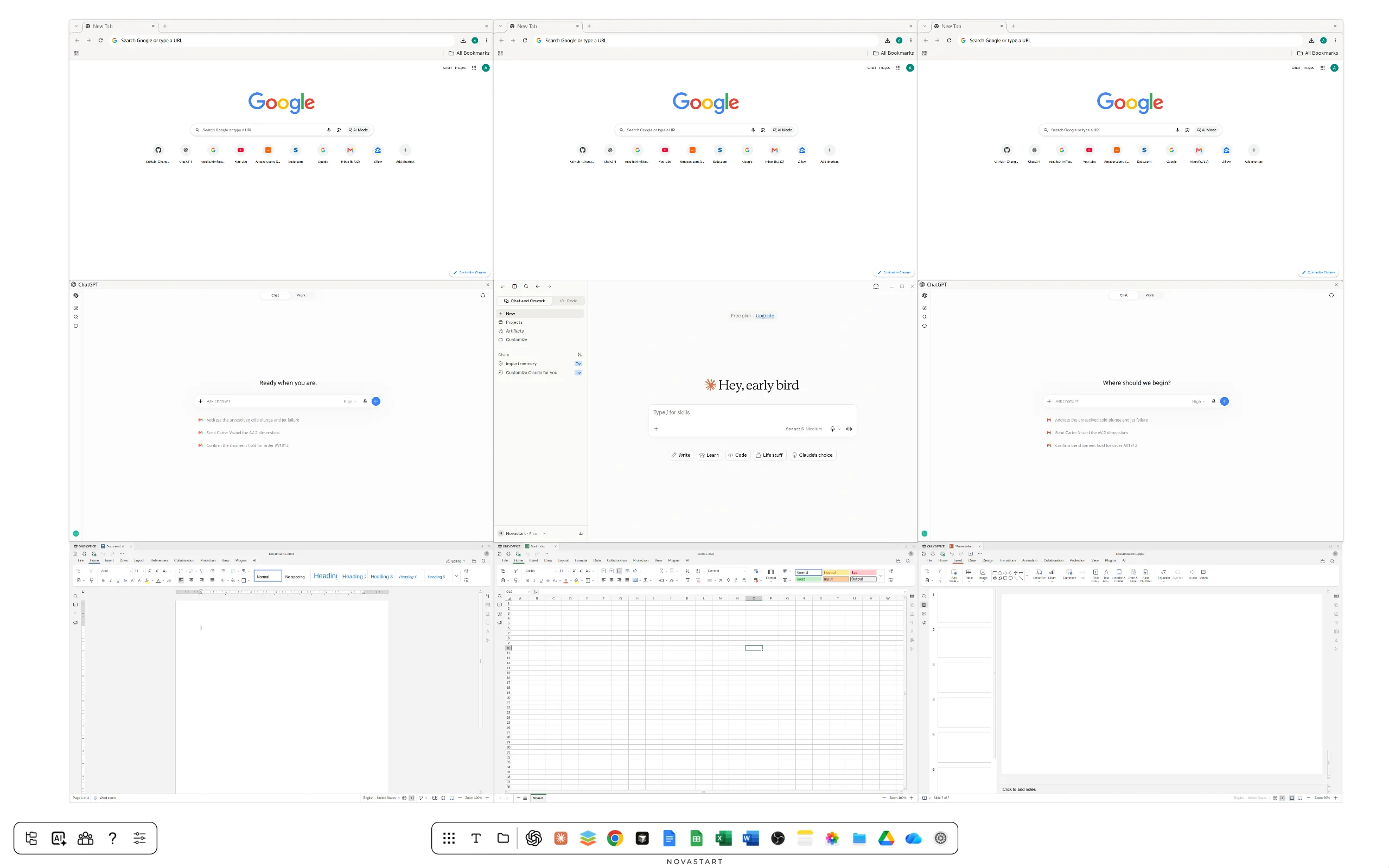
Novastart is an infinite canvas operating system where your apps, teammates and AI agents share one zoomable workspace. Put Chrome, ChatGPT, Claude, Word, Excel and your files on one canvas, work live with teammates, and let AI agents click and type in their own windows.
What's included
Screenshots
What to look for in collaboration & productivity software
Frequently asked questions
What is collaboration and productivity software?
Collaboration and productivity software is any tool that helps people work together and manage tasks from a shared digital workspace, covering things like team messaging, video calls, project boards, shared documents, and file storage. Instead of coordinating through separate emails and standalone files, a team uses one platform (or a connected set of them) to communicate and track work.
What's the difference between collaboration software and project management software?
Collaboration software is a broad category focused on communication and shared work, including chat, video, and document tools, while project management software is a more specific type of tool focused on planning tasks, assigning owners, and tracking deadlines. Many platforms blend the two, so a listing might function as both depending on which features it emphasizes.
How much does collaboration and productivity software cost?
Pricing varies widely depending on the type of tool, the number of users, and whether it's a single-purpose app or a full suite, and is generally billed per user per month. Costs are not standardized across the category, so check individual listings for specifics rather than assuming a flat rate.
How do I choose the right collaboration or productivity software for my team?
Start by identifying the specific problem you're solving, whether that's messaging, task tracking, file sharing, or all three, since trying to cover everything at once with one tool isn't always realistic. From there, weigh how well a tool integrates with what your team already uses, how it handles permissions and data security, and whether its pricing scales reasonably as your team grows.
How long does it take to roll out new collaboration software to a team?
Simple tools like a messaging app can often be set up and adopted within a day or two, while more complex platforms that replace multiple existing systems may take several weeks to configure, migrate data into, and train a team on. Timelines depend heavily on how much of the team's existing workflow needs to move over.
Should I pick an all-in-one suite or several single-purpose tools?
An all-in-one suite reduces the number of tools to manage but can be weaker at any one function; single-purpose tools often go deeper individually but require more integration work to connect them together.